> For the complete documentation index, see [llms.txt](https://qc-ai-test.gitbook.io/qc-ai-test-docs/llms.txt). Markdown versions of documentation pages are available by appending `.md` to page URLs; this page is available as [Markdown](https://qc-ai-test.gitbook.io/qc-ai-test-docs/running-building-ai-models/edge-impulse.md).
# Edge Impulse
Edge Impulse is the easiest way to build new edge AI models for Qualcomm Dragonwing devices. It's an end-to-end platform that helps you build datasets, train models, and run models with full hardware acceleration. It supports building AI models using audio, image and other sensor data - or bringing your own model in a variety of formats.
{% hint style="info" %}
**TODO:** Add a screenshot.
{% endhint %}
## Train an AI model
To start building with Edge Impulse:
1. Make sure you've followed the device setup for your development board.
2. Sign up for a free developer account at [studio.edgeimpulse.com](https://studio.edgeimpulse.com).
3. From the terminal or ssh session on your development board, install Node.js 22 from the Nodesource PPA:
```bash
# Remove existing installation (if needed)
rm -f /usr/local/bin/node /usr/local/bin/npm
# Install Node.js v22
curl -fsSL https://deb.nodesource.com/setup_22.x | sudo -E bash -
sudo apt install -y nodejs
# Verify installation (might need to open a new terminal window)
node -v
# ... Should return v22.x.x
# Make a place to install global packages w/o needing sudo
mkdir -p ~/.npm-global
npm config set prefix ~/.npm-global
# Add to your PATH
echo "" >> ~/.bash_profile
echo "# Begin node.js/npm" >> ~/.bash_profile
echo "export PATH=\$PATH:$HOME/.npm-global/bin" >> ~/.bash_profile
echo "# End node.js/npm" >> ~/.bash_profile
echo "" >> ~/.bash_profile
# To ensure you have access to the global packages from the current session
source ~/.bash_profile
```
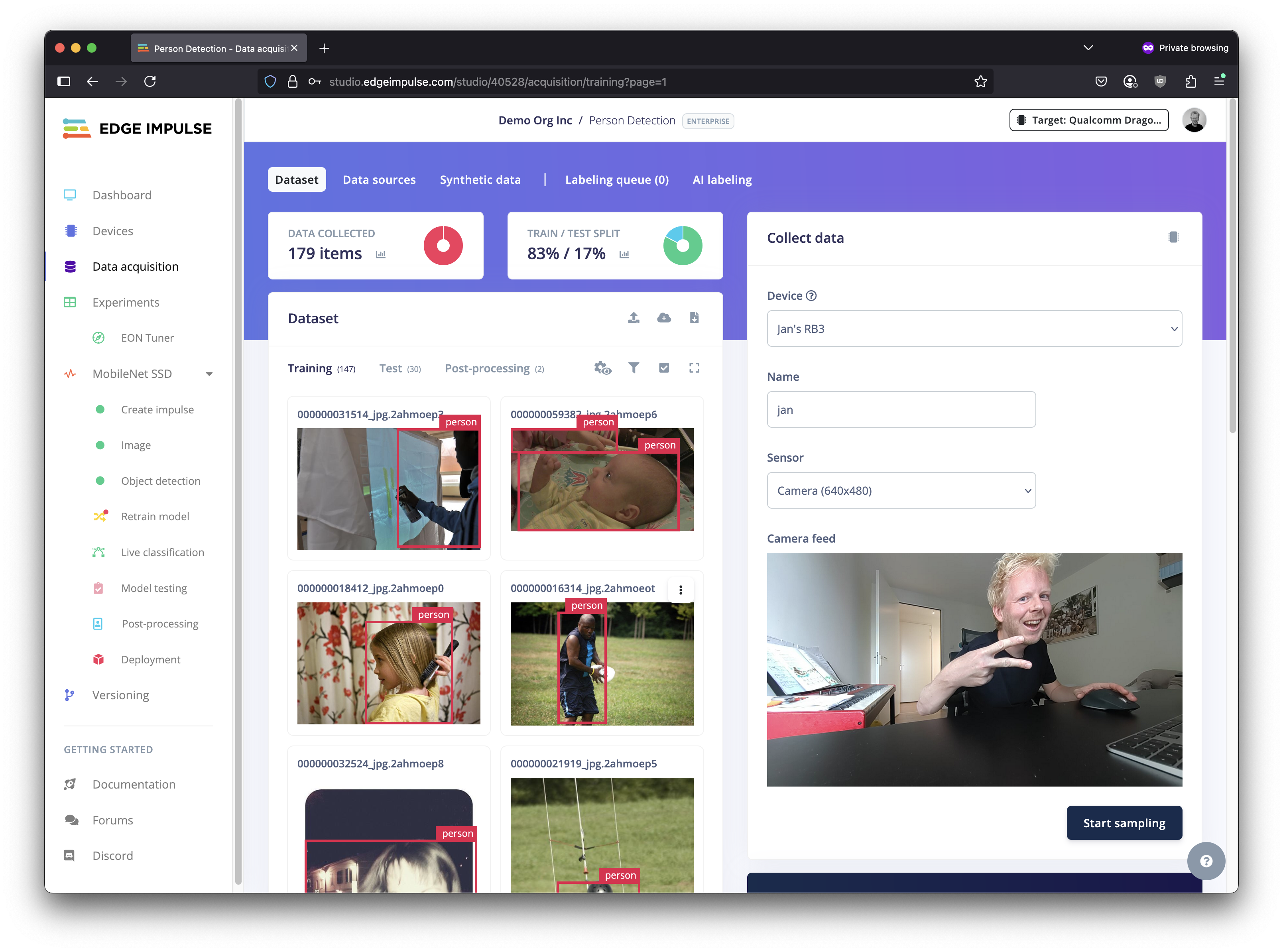
4. Then, install Edge Impulse for Linux, and connect your development board to Edge Impulse:
```bash
# Install the CLI
npm install -g edge-impulse-linux
# Connect to your project (to switch projects, add --clean)
edge-impulse-linux
```
Qualcomm Dragonwing development board connected to Edge Impulse
5. Follow one of the [end-to-end tutorials](https://docs.edgeimpulse.com/tutorials) to build your first AI model.
{% hint style="info" %}
**Tip:** Use the target selector on the top right corner to select your Qualcomm Dragonwing development board, and get accurate performance information.
{% endhint %}
6. To run your model, from the terminal or ssh session on your development board:
```bash
edge-impulse-linux-runner
```
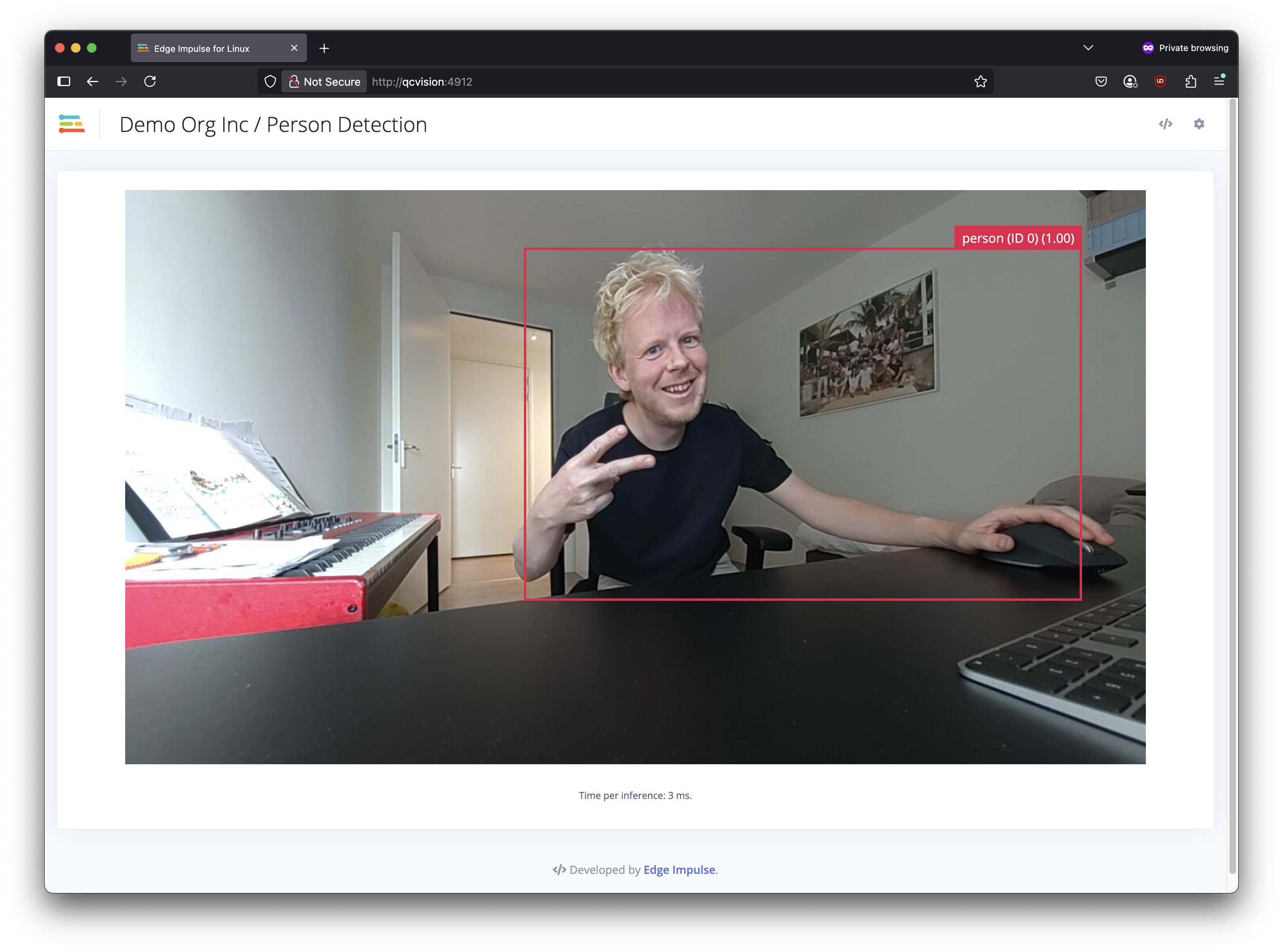
This will automatically build and download your model, and run it on the NPU (quantized models only).
Or, to manually download the EIM file, search for "Linux (AARCH64 with Qualcomm QNN)" in the **Deployment** page in your Edge Impulse project.
An object tracking model running on the NPU of a Qualcomm Dragonwing development board
## Bring Your Own Model
Edge Impulse also lets you bring your own model (BYOM) in SavedModel, ONNX, TFLite, LiteRT or scikit-learn format. Models deployed through BYOM are fully supported on Dragonwing platforms, NPU acceleration (for quantized models). See [Edge Impulse docs > Bring Your Own Model](https://docs.edgeimpulse.com/studio/projects/dashboard/byom).
## Building C++ applications that run on NPU
To build C++ applications with Edge Impulse models that use the NPU on your Dragonwing development board, first install the [AI Runtime SDK - Community Edition](https://softwarecenter.qualcomm.com/catalog/item/Qualcomm_AI_Runtime_Community) by opening a terminal on your development board and running:
```bash
# Install the SDK
wget -qO- https://cdn.edgeimpulse.com/qc-ai-docs/device-setup/install_ai_runtime_sdk.sh | bash
# Use the SDK in your current session
source ~/.bash_profile
```
Afterwards, just follow the steps in [edgeimpulse/example-standalone-inferencing-linux](https://github.com/edgeimpulse/example-standalone-inferencing-linux) under "Qualcomm SoCs with Hexagon NPU" - but skip the manual installation of AI Engine Direct SDK. It's already configured.
## Tips
### Seeing NPU performance
Dragonwing platforms have a powerful NPU (neural processing unit) which can drastically speed up AI inference. To see the effect that an NPU has on performance, you can run your model on the CPU via:
```bash
edge-impulse-linux-runner --force-target runner-linux-aarch64
```
E.g. on an example quantized YOLO-based model with 7M parameters on the RB3 Gen 2 Vision Kit the CPU takes 47ms. per inference, and just 2ms. (!) on the NPU.
## Troubleshooting
### Error: EACCES: permission denied, mkdir '/usr/lib/node\_modules/edge-impulse-linux'
By default `npm install -g edge-impulse-linux` tries writing to `/usr/lub/node_modules` which requires sudo permissions on Ubuntu. The easiest fix is to create a new folder for global packages, and add it to your PATH via:
```bash
# Make a place to install global packages w/o needing sudo
mkdir -p ~/.npm-global
npm config set prefix ~/.npm-global
# Add to your PATH
echo "" >> ~/.bash_profile
echo "# Begin node.js/npm" >> ~/.bash_profile
echo "export PATH=\$PATH:$HOME/.npm-global/bin" >> ~/.bash_profile
echo "# End node.js/npm" >> ~/.bash_profile
echo "" >> ~/.bash_profile
# To ensure you have access to the global packages from the current session
source ~/.bash_profile
# Re-install Edge Impulse for Linux
npm install -g edge-impulse-linux
```